


Camera Blocker: Anti Spy Guard
4.41.40K Reviews
App Specs
- Version
- 2.41
- Updated On
- License
- Free
- Downloads
- 1,000,000+
- Developer
- BytePioneers s. r. o.
- Categories
- Libraries & Demo
- Platform
- Android
Screenshots

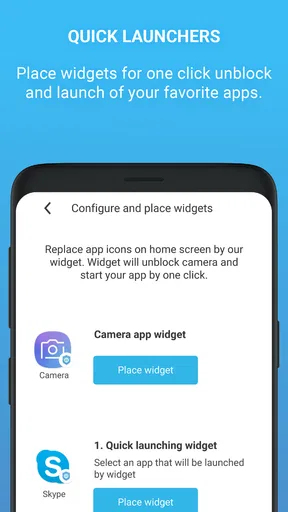
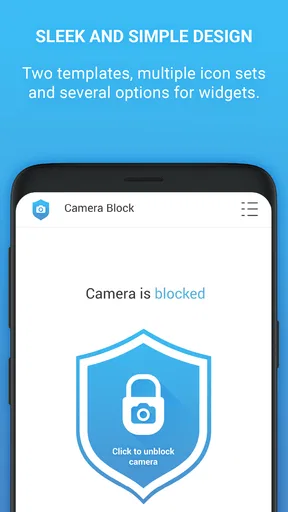
 Analysis by AppCompare
Hey there! So, I’ve been diving into the world of privacy apps, and one that really caught my eye is Camera Blocker: Anti Spy Guard. If you’ve ever had that sneaky suspicion that your phone’s camera might be watching you when it shouldn’t be, this app might just be your new best friend.
For a first-time user, the useful question is not whether a camera blocker sounds reassuring, but how it fits into an ordinary day. I’d treat it as a deliberate on-and-off control: keep camera access blocked when I do not need it, then make a conscious change before a video call or photo. That routine is simple, but it works best when I remember that blocking the camera can also interrupt legitimate uses.
What’s the Deal with Camera Blocker?
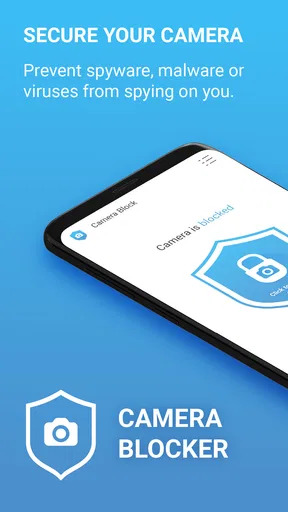
Alright, let’s get into it. Camera Blocker is designed to disable your camera, preventing any apps from accessing it without your consent. The app is like a bouncer for your phone’s camera, ensuring that no unauthorized app gets in to snoop on your private moments. It’s a pretty neat concept, especially for those of us who are a bit paranoid about our privacy (and let’s be real, who isn’t these days?).
It belongs to the privacy-focused side of the Libraries & Demo app category, and BytePioneers s. r. o. is its developer. The app is free to install, with optional in-app purchases priced from $2.99 to $89.99 per item. It is rated for Everyone, and its average rating is 4.5 from around 18,000 ratings. More than 1 million installs suggest that this camera-control idea has found a substantial audience, though popularity alone cannot tell you whether it suits your own phone habits.
Why Use It?
We’ve all heard the horror stories about apps that sneakily access our camera. Whether it’s for targeted ads or something more sinister, it’s a real concern. With Camera Blocker, you can rest easy knowing that your camera is under lockdown. It’s super handy if you’re worried about malware or those apps that seem a little too nosy for comfort.
The strongest use case, in my view, is reducing the chance of unwanted camera access while you are not actively using the camera. That is different from proving that a particular app is spying: a block is a preventive control, not an investigation or a malware scanner. If a phone is already behaving strangely, I would still review installed apps and system security rather than expecting a camera control app to diagnose the whole problem.
Setting It Up
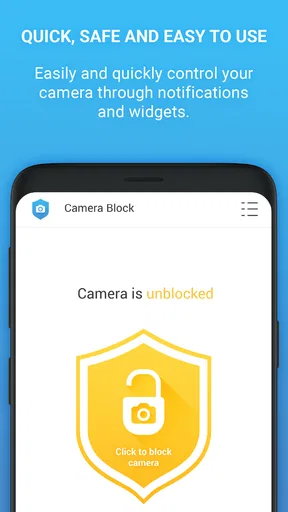
Setting up Camera Blocker is a breeze. After installing, you simply toggle the switch to block your camera. The interface is straightforward, making it easy even for those who aren’t tech-savvy. The app also provides notifications, so you know when the camera is blocked or when it’s safe to use again. It’s like having a personal security guard for your camera!
Worth Reading Before You Choose

EA SPORTS FC Mobile 26 Is a Bigger Football Game, but It Takes Time

Flipboard Shows What News Apps Must Do Beyond the Feed

Switching to Android Auto Means Rethinking Your Driving Routine

Google Calendar Makes a Crowded Week Easier to Manage

Ludo King Makes the Most of the Minutes Between Plans

Baby Panda World Brings Quick Play to Modern Phones, but Its Game Library Feels Busy
For a reassuring first test, I’d install it when I have a quiet moment, switch the block on, and then try a camera-dependent task that I can safely postpone, such as opening the camera app. If the camera cannot be used, that gives me a practical sense of the setting’s effect; I can then switch the block off when I actually want to take a picture. I would not wait until an important meeting or a time-sensitive photo to learn how the control behaves on my device.
That small test also helps answer a common concern: does blocking mean I can no longer use the camera at all? The point is to prevent access while the block is active, so normal camera use requires restoring access first. For a video call, I would check the block before joining, make the change if needed, and turn protection back on afterward if that is my preferred routine. A notification can help, but I would still verify the control myself before relying on the camera.
Features That Stand Out
Let’s talk features because this app packs a punch. First up, there’s the whitelist option. This allows you to choose which apps can access your camera, giving you full control. For instance, if you need to use a video conferencing app, you can simply add it to the whitelist and unblock the camera temporarily. It’s flexible and user-friendly, which I absolutely love.
A whitelist is most useful when I have a small number of camera apps I use regularly and want to avoid changing settings blindly each time. I would keep that list intentional rather than adding every app that asks for camera access. Before an important call, I’d confirm that the app I plan to use is treated as expected, and afterward I’d remove or reconsider any exception I no longer need. The trade-off is convenience versus a broader set of apps having permission to use the camera.
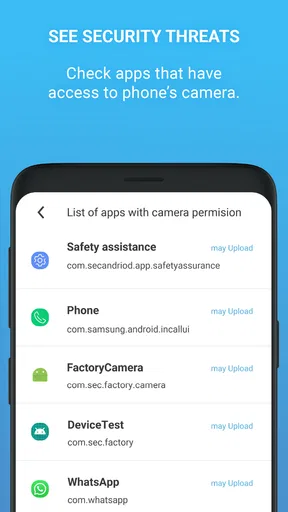
Another cool feature is the log record. The app keeps a record of camera usage, so you can see exactly when it was accessed and by which app. It’s like having a little detective in your pocket, keeping tabs on your privacy. For anyone who’s a bit of a data geek, this is a fantastic feature.
I’d use the log as a prompt for questions, not as a verdict. If an entry appears around the time I opened a camera app, that is an understandable place to start. If I see activity I cannot place, I would compare it with what I was doing and check the app’s permissions in the phone settings before drawing a conclusion. A usage record can make activity easier to review, but it should not be treated as proof of malicious intent or as a complete security audit.
Performance and Usability
In terms of performance, Camera Blocker runs smoothly without any major hiccups. It doesn’t seem to drain the battery, which is a huge plus. I’ve had it running for a few days now, and my phone’s performance hasn’t taken a hit. It’s lightweight, which means it won’t hog your phone’s resources.
The app’s current version is 2.17, and it supports Android 6.0 and newer. That makes checking compatibility an important first step if you are setting it up on an older phone; a newer device still needs to meet the minimum software requirement. The age rating is Everyone, which is useful context for families, although the right household choice still depends on how each person uses the camera and manages device settings.
The usability factor is high. The app’s design is clean and intuitive. Even if you’re not a tech wizard, you’ll find your way around it easily. The developers have clearly put thought into user experience, which is always appreciated.
Compared with the usual alternatives, this is a more direct approach than simply checking camera permissions app by app. System settings are a sensible option if you only want to review access occasionally, while a physical cover can offer visible reassurance when the lens is exposed. Those approaches solve different problems: a cover does not manage software access, and a permission review does not provide the same quick, dedicated blocking routine. I’d choose this app if I want a software control I can switch deliberately, but I would not assume it replaces the phone’s own privacy settings.
One practical trade-off is that a strict block can be inconvenient at precisely the moment I need the camera. If I rely on camera-based tasks throughout the day, repeatedly changing access may feel like friction rather than protection. I’d also avoid setting up exceptions casually just to make the app less noticeable; a little convenience can undermine the reason for using a blocker in the first place. The best routine is the one I can follow consistently without mistaking a notification for a guarantee that every aspect of the phone is secure.
My Final Thoughts
So, what’s the verdict? In a world where privacy is constantly under threat, having an app like Camera Blocker: Anti Spy Guard on your phone is a no-brainer. It offers peace of mind knowing that your camera isn’t being used without your knowledge. The app is simple yet effective, and the features are practical for everyday use.
I’d recommend it most to someone who rarely needs the camera but wants a clear way to keep it unavailable between uses, or to someone who prefers a visible routine over repeatedly digging through settings. It is less appealing for people who are constantly switching between camera, calls, scanning, and other camera-dependent tasks. Those users may be happier with careful permission management in Android settings, or with a physical cover if their main concern is the lens itself.
If you’re someone who values privacy and wants to take control of your smartphone’s camera, give Camera Blocker a shot. It’s like having a little privacy guardian in your pocket, keeping you safe from prying eyes.
My simplest advice is to decide on your default state before you start: blocked except when needed, or available for the camera apps you deliberately trust. Test that routine once, note how the whitelist and log fit your habits, and keep the list of exceptions narrow. That gives a new user a concrete first success without turning privacy into a complicated project.
Hope you found this review helpful! If you’re ready to take the plunge, you can download it from your favorite app store and start guarding your privacy today. Stay safe out there!
Pros
- Simple interface
- easy to navigate.
- Blocks camera access effectively.
- Lightweight
- minimal battery drain.
- No intrusive ads
- smooth usage.
- Regular updates enhance security.
Cons
- Limited features in free version.
- No customization for camera alerts.
- Requires background running.
- May conflict with some apps.
- No support for older OS versions.
FAQs for Camera Blocker: Anti Spy Guard
What is Camera Blocker: Anti Spy Guard and how does it work?
Camera Blocker: Anti Spy Guard is an app designed to enhance your privacy by blocking unauthorized access to your device's camera. It works by disabling camera functions when not in use, preventing malicious apps from accessing it silently. The app operates in the background, providing a secure environment without interfering with your phone's regular operations.
Is Camera Blocker: Anti Spy Guard user-friendly for non-tech savvy individuals?
Yes, Camera Blocker: Anti Spy Guard is designed with user-friendliness in mind. The interface is straightforward, allowing users to easily activate or deactivate the camera block feature. Detailed instructions and helpful tips are also provided, making it accessible even to those who aren't tech experts.
How does Camera Blocker ensure my privacy is protected from spyware?
Camera Blocker uses a proactive approach to privacy protection by disabling camera access when not in use. This prevents spyware and other malicious apps from accessing your camera without permission. Additionally, the app continuously monitors for suspicious activity, alerting you if any unauthorized access attempts are detected.
Does Camera Blocker: Anti Spy Guard affect the performance of my device?
Camera Blocker is optimized to run efficiently in the background, ensuring minimal impact on your device's performance. It uses limited system resources, so you can enjoy improved privacy without experiencing slowdowns or battery drain. Users typically report no noticeable impact on their device's overall functionality.
Is Camera Blocker compatible with all Android and iOS devices?
Camera Blocker: Anti Spy Guard is compatible with a wide range of Android and iOS devices. However, it is recommended to check the app's description in the app store for specific compatibility requirements. Regular updates ensure that the app remains functional across various device models and operating system versions.


